Azure SQL Pricing: How it Works and How to Reduce Costs  

Article by:
Synextra

Database costs have a way of creeping up on you. What starts as a sensible deployment can quietly balloon into a big chunk of your monthly Azure bill, especially if you picked the wrong pricing model for your workload.

Azure SQL pricing isn’t exactly straightforward. With multiple services, two fundamentally different pricing models, and a dizzying array of tiers and options, it’s easy to end up paying more than you need to. The flip side is that all those options mean there’s almost certainly a setup that fits your workload perfectly (if you know where to look).

We’re going to break down exactly how Azure SQL pricing works, what each option costs, and most importantly: how to avoid spending more than you need to.

What are you actually buying with Azure SQL? 

Before going into the numbers, it’s worth getting clear on what “Azure SQL” actually means. It’s not a single product but a family of related services, each with its own pricing structure.

Azure SQL Database is the flagship offering: a fully managed platform-as-a-service database. Microsoft handles all the maintenance, patching, backups, and high availability. You just bring your data and queries. This comes in two flavours: single databases (one database, one set of resources) and elastic pools (multiple databases sharing a pool of resources).

Azure SQL Managed Instance sits between SQL Database and running your own server. It offers near-complete compatibility with on-premises SQL Server, which makes it ideal for migrating existing applications to the cloud without major rewrites. You get more control and SQL Server features like SQL Agent, cross-database queries, and CLR integration – but you pay for that flexibility.

SQL Server on Azure VMs is the do-it-yourself option. You’re running a full SQL Server instance on a virtual machine, responsible for everything from OS updates to backup configuration. It’s the most flexible option but also the most hands-on.

Each of these has different pricing mechanisms, so choosing the right one matters as much as picking the right tier within it.

Below, we’ll mention some Azure SQL pricing – they’re all approximately accurate for the UK South region as of late 2025.

Azure SQL Database pricing tiers 

Azure SQL Database offers two completely different ways to buy resources: DTU-based and vCore-based.

The DTU model: bundled simplicity

DTU stands for Database Transaction Unit, a blended measure of CPU, memory, and I/O bundled together. You don’t choose these resources individually; you pick a tier that gives you a pre-configured bundle.

The DTU model has three service tiers:

  • Basic is the entry point, offering 5 DTUs and 2GB of storage for around £4.60 per month. It’s suitable for small, lightly-used applications, like a simple internal tool or a development database that sees minimal traffic.
  • Standard spans a wide range, from S0 (10 DTUs, around £14/month) up to S12 (3,000 DTUs, roughly £4,200/month). Each tier includes 250GB of storage, with options to add more. This covers most typical business applications.
  • Premium is built for high-performance workloads demanding low latency and high availability. Prices start around £430/month for P1 (125 DTUs) and climb to nearly £15,000/month for P15 (4,000 DTUs). Premium includes faster local SSD storage and built-in high availability with zone redundancy at no extra cost.

The DTU model works well if you want predictable monthly costs and don’t need granular control over individual resources. It’s the simpler option for teams who’d rather not think too hard about exactly how much CPU or memory they need.

The vCore model: flexibility and control

The vCore (virtual core) model lets you choose compute, memory, and storage independently. You pick a number of vCores, and memory scales proportionally. Storage is billed separately based on what you provision.

This model has three service tiers:

  • General Purpose suits most business workloads. In the UK South region, pricing starts around £320/month for 2 vCores and scales up based on the cores you select. You can choose between provisioned compute (fixed capacity, hourly billing) or serverless (auto-scaling, per-second billing). Storage is charged separately at around £0.10 per GB/month.
  • Business Critical is designed for applications that need low latency and high resilience. It uses local SSD storage and maintains multiple replicas for fault tolerance. Expect to pay roughly 2.7 times the General Purpose price for equivalent vCores. The trade-off is significantly better I/O performance and a read-only replica you can use to offload reporting queries.
  • Hyperscale is the cloud-native tier, designed for databases that need to grow beyond traditional limits. Storage scales automatically up to 100TB, decoupled from compute. Pricing starts similarly to General Purpose for compute, with storage charged at around £0.09 per GB/month. This tier suits high-growth applications where you don’t want to worry about hitting storage ceilings.

Azure SQL Database serverless pricing

Serverless deserves special mention because it prices differently from everything else.

Rather than paying for provisioned capacity, you pay for actual compute used, billed per second. You configure minimum and maximum vCores, and the database scales automatically within that range. When the database is idle (no queries running), it can pause entirely, and you pay only for storage during paused periods.

Serverless pricing in the General Purpose tier runs around £0.0001 per vCore-second (roughly £0.36 per vCore-hour when active). The real savings come from the auto-pause feature: if your database is only active 8 hours a day, you could cut compute costs by two-thirds compared to provisioned.

This model suits development and test environments and applications with unpredictable usage patterns. It can also do well for databases that see bursts of activity followed by quiet periods.

Elastic pool pricing

If you’re running multiple databases, elastic pools let them share a common pool of resources.

So instead of provisioning capacity for each database’s peak load, you provision enough for the combined workload (because not all databases will peak at the same time).

Elastic pool pricing mirrors single database pricing (both DTU and vCore models are available), but you’re paying for the pool rather than individual databases. A 100 elastic DTU (eDTU) Standard pool costs about £140/month and can host multiple databases that collectively stay within that limit.

The savings can be substantial for multi-tenant applications or organisations running many small databases. If you’ve got 20 databases that each need occasional bursts of 50 DTUs but average only 5 DTUs, an elastic pool is far cheaper than 20 individual S2 databases.

Azure SQL Managed Instance pricing 

Managed Instance pricing follows the vCore model exclusively. There’s no DTU option here. You’re charged for vCores, storage, and backup storage. The two service tiers mirror SQL Database:

  • General Purpose starts around £640/month for 4 vCores (the minimum) in UK South, scaling up with additional cores. Storage is charged separately at around £0.10 per GB/month, and you can provision between 32GB and 16TB.
  • Business Critical costs roughly 2.5 times more than General Purpose for equivalent vCores but delivers significantly better I/O performance through local SSD storage and includes a readable secondary replica.

Managed Instance tends to be more expensive than SQL Database for equivalent specs. You’re paying for that additional SQL Server compatibility and the features that come with it. If you’re doing a lift-and-shift migration from on-prem SQL Server and need features like linked servers, SQL Agent jobs, or CLR assemblies, the premium is often worth it.

A notable recent addition: geo-replicated secondary instances used purely for disaster recovery now come at reduced pricing, making building resilient Azure environments more cost-effective.

SQL Server on Azure VM pricing 

Running SQL Server on an Azure VM combines two cost components: the virtual machine itself and the SQL Server licence.

Pricing varies based on VM size, region, and SQL Server edition. A D4 v5 (4 vCPUs, 16GB RAM) in UK South with SQL Server Standard included costs around £345/month with Azure Hybrid Benefit applied. Without AHB, expect to pay more since the SQL Server licence cost is added on top. Enterprise Edition is pricier again.

  • Azure Hybrid Benefit makes a real difference here. If you have existing SQL Server licences with Software Assurance, you can apply them to Azure VMs and avoid paying for the licence twice. For organisations with unused or underutilised on-premises licences, this is often the most cost-effective route to running SQL Server in Azure.
  • Reserved Instances offer another saving route. Committing to a 1-year or 3-year term on the VM can reduce compute costs by 30-60% compared to pay-as-you-go pricing.

SQL Server on VMs makes financial sense when you need features not available in managed services, when BYOL makes the numbers work, or when your workload requires specific VM configurations that don’t map well to managed service tiers.

Azure Cosmos DB vs Azure SQL Database pricing 

This comparison comes up often, so it’s worth addressing directly. These are fundamentally different databases designed for different purposes, and their pricing reflects that.

Cosmos DB charges based on Request Units per second (RU/s), a measure of throughput capacity. A simple read operation might consume 1 RU, while a complex query could use hundreds. Standard provisioned throughput starts around £0.008 per RU/hour, so a 400 RU/s database (the minimum) costs roughly £18/month before storage.

SQL Database charges for compute capacity regardless of whether you’re actively querying it or not. An S0 database costs around £12/month whether it processes 100 queries or 100,000. For workloads with consistent, predictable query patterns, SQL Database often works out cheaper. Cosmos DB’s pricing model is great for when you need global distribution, multi-model capabilities, or guaranteed single-digit millisecond latency at any scale.

The “which is cheaper” question depends entirely on your access patterns. A read-heavy app with simple queries might cost less on Cosmos DB. A complex analytical workload will almost certainly cost less on SQL Database.

Azure SQL Database backup pricing 

Backup storage is often overlooked in cost planning, but it can add up.

By default, Azure SQL Database includes backup storage equal to your maximum database size at no extra charge. If your database is 100GB, you get 100GB of backup storage included. Beyond that, you pay for additional consumption.

Backup storage pricing depends on redundancy:

  • Locally Redundant Storage (LRS): around £0.088 per GB/month
  • Zone-Redundant Storage (ZRS): around £0.088 per GB/month
  • Geo-Redundant Storage (RA-GRS): around £0.175 per GB/month

The default is RA-GRS, which replicates backups to a paired region. If you’re already handling disaster recovery through other means, switching to LRS can halve your backup storage costs.

Long-term retention lets you keep backups for up to 10 years for compliance or regulatory purposes. This uses separate storage priced about 2.5x the standard options above.

When each pricing model makes sense 

With all these options, how do you choose?

The DTU model works best for:

  • Teams who want simplicity over optimisation
  • Predictable workloads that fit neatly into pre-configured tiers
  • Firms without the time or expertise to tune vCore configurations
  • Applications where database costs aren’t your main concern

vCore provisioned suits:

  • Workloads that need specific CPU-to-memory ratios
  • Organisations wanting to make use of Azure Hybrid Benefit
  • Applications needing consistent, predictable performance
  • Databases where you understand the resource requirements well

vCore serverless fits:

  • Development and test environments
  • Applications with intermittent usage
  • Databases that can tolerate brief warm-up delays after idle periods
  • Scenarios where you’d rather pay for actual usage than provisioned capacity

Elastic pools make sense when you’re:

  • Running multiple databases with varying, unpredictable workloads
  • Building multi-tenant SaaS applications
  • Consolidating many small databases that don’t individually justify their own resources

Managed Instance is right for:

  • Migrations that need high SQL Server compatibility
  • Applications using features not available in SQL Database
  • Organisations needing instance-level features like SQL Agent or Service Broker
  • Workloads that benefit from network isolation via VNet integration

SQL Server on VMs fits:

  • Applications needing full SQL Server feature access
  • Organisations with existing licences they can use
  • Workloads needing specific OS-level configurations

Best practices for cutting your Azure SQL costs 

Optimising Azure SQL spending doesn’t need massive changes. Often it’s about picking the right options and reviewing them periodically.

Right-size your databases

Many databases are over-provisioned. It’s natural to err on the side of caution, but that caution costs money. Use Azure Monitor to track actual DTU or vCore utilisation over time. If you’re consistently running below 40% utilisation, you’re probably paying for capacity you don’t need.

The Azure Portal shows DTU percentage and vCore metrics directly on the database overview. Make a habit of checking these quarterly and downsizing where it’s appropriate.

Use reserved capacity for predictable workloads

If you know a database will run for at least a year, reserved capacity can give you some big savings. One-year reservations usually reduce vCore costs by around 20%, while three-year terms can cut costs by over 30%.

Reserved capacity applies to vCore-based pricing only and combines with Azure Hybrid Benefit for maximum savings.

Make use of Azure Hybrid Benefit

If your organisation has SQL Server licences with active Software Assurance, Azure Hybrid Benefit lets you apply them to Azure SQL resources. This can reduce costs by up to 55% on vCore-based databases and managed instances.

The savings are substantial: a Business Critical database that costs £1,000/month at standard rates might drop to £450/month with Hybrid Benefit applied. If you’re not using this and you have qualifying licences, you’re leaving money on the table.

Consider serverless for variable workloads

Serverless databases automatically pause when inactive and scale compute based on demand. For databases that see sporadic use, the savings can be dramatic. A dev/test database that’s only active 4 hours a day could cost 80% less than an equivalent provisioned database.

The catch is there’s a brief warm-up delay when resuming from pause (typically a few seconds), so serverless isn’t ideal for production workloads that need instant response times.

Consolidate with elastic pools

If you’re running more than a handful of databases, audit whether elastic pools could reduce costs. The maths works whenever the sum of individual database peaks exceeds the average combined load by a significant margin.

Look at multi-tenant applications, development environments, and departmental databases that were deployed individually but could share resources.

Review backup retention and redundancy

Default backup settings prioritise safety over cost. If you’re using RA-GRS backup storage but your disaster recovery strategy doesn’t require geo-redundancy, switching to LRS can cut backup costs by half.

Similarly, review your long-term retention policies. Keeping 7 years of backups “just in case” costs money. So make sure retention periods match actual compliance requirements rather than defaulting to the maximum.

Monitor and alert on costs

Setting up cost alerts in Azure Cost Management catches problems before they become expensive. If you configure alerts at 50%, 75%, and 90% of expected monthly spend, you’ll know immediately if something’s running away from you.

Use resource tagging to track database costs by project, team, or environment. This visibility makes it easier to identify which workloads are driving costs and where your optimisation efforts will have the most impact.

Automate non-production shutdowns

Development and test databases don’t need to run 24/7. Azure Automation can schedule shutdowns outside working hours, potentially cutting costs for those resources by 60% or more. This applies particularly to SQL Server on VMs, where you’re paying for compute whether the database is being used or not.

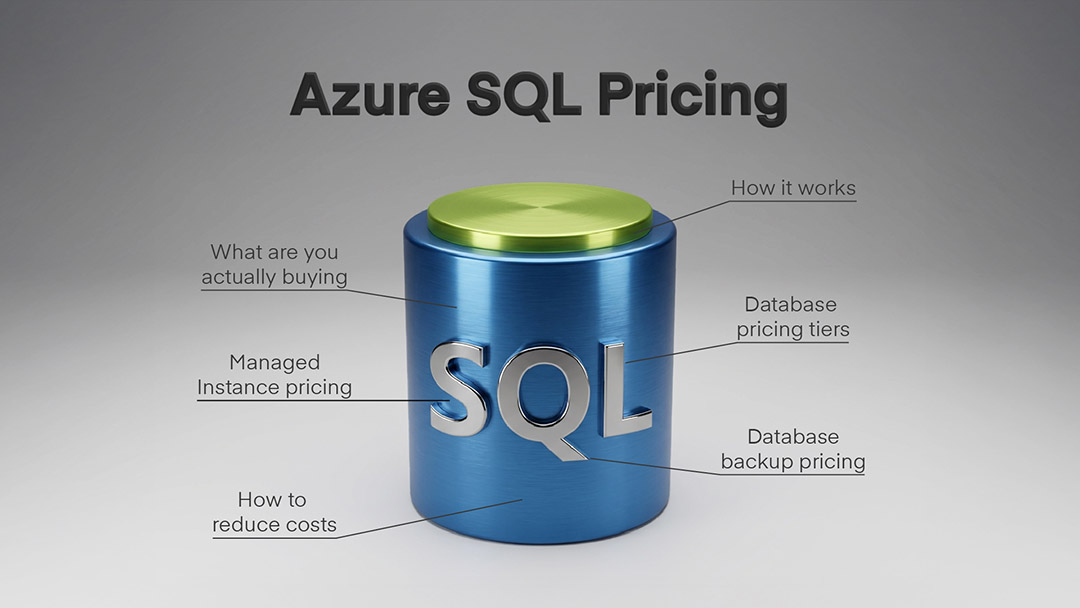
Making Azure SQL pricing work for you 

Azure SQL pricing has a lot of moving parts, but that complexity exists because there’s genuine variety in how organisations use databases. A startup running a simple web app has different needs from an enterprise migrating decades of on-premises SQL Server infrastructure.

The key is matching the pricing model to your actual workload rather than picking the default or whatever seems simplest. A few hours spent understanding your options and reviewing your usage patterns can easily save thousands of pounds annually.

And it’s worth revisiting periodically. Workloads change, new pricing options appear, and what made sense two years ago might not be optimal today. Build a habit of reviewing database sizing and costs quarterly, and you’ll catch optimisation opportunities before they compound into significant overspend.

If you’d like help making sense of Azure SQL pricing for your situation, or want a second opinion on how cost-effective your current setup is, get in touch today.

Subscribe to our newsletter

Stay ahead of the curve with the latest trends, tips, and insights in cloud computing

thank you for contacting us image
Thanks, we'll be in touch.
Go back
By sending this message you agree to our terms and conditions.